The update-time timestamp allows users to see when the stamp was last updated.
NOTE: To utilize the update-time timestamp, the associated Measure Factory script must define the update-time aux-measure. Measures in the script that do not define it do not record a timestamp.
You can vary the format string depending on the user's needs. Both date and datetime are possible options for the timestamp.
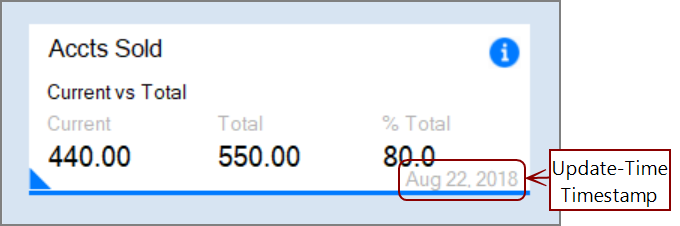
The code block for the tag:
update-time aux-measure = <aux-measure-name> [ format = <format-string> ]
Example of an instance in the DiveTab script:
update-time aux-measure = "Last Updated" format = "MMM D, YYYY"
Here is the aux-measure defined in the Measure Factory script:
  measure "Avg IP Census" `...` {
    scope "Hourly Census"
    aux-measure "Last Updated" `const(value("Last Census Update"))` {
      scope "Hourly Census"
    }
  }
See also: