Spectre Flow Unrotate Process Object
The Spectre Flow Unrotate Process object flattens multiple rows of input data to a single row with multiple columns in the output flow.

The Unrotate Process object has three sections in the properties panel where you set attributes.
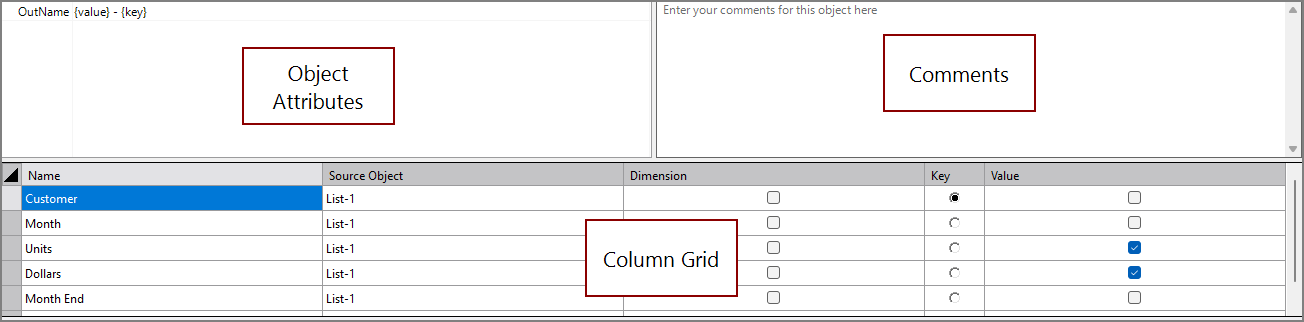
 Object Attributes
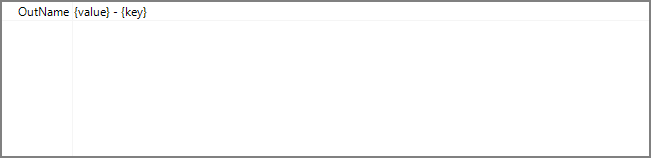
You set attributes for the Unrotate Process object in the object attributes section.
| Attribute | Description |
|---|---|
| Out Name |
Specifies the name of the columns created by the Unrotate operation. The Out Name attribute must include both of the following placeholder values, but can include any other characters or formatting in addition to the placeholders:
For example, if a key column has a value of "2024-01" and a value column is named "Revenue", then a formatted Out Name of {key} {value} creates a column named "2024-01 Revenue". This process repeats for each row in the key column. For information about the flow script tag, see out-name. |
| Key Values | Specifies columns to be manually inserted into the unrotate output. All values listed in this tag become columns with the same name as the Out Name configuration. Each value replaces the {value} placeholder in the Out Name configuration. Any key-values that do not match a value in the Key column create a new column with null values. For information about the flow script tag, see key-values. |
| Ignore Other Values | Specifies that any values in the Key column that do not match values specified in the Key Values attribute are not included in the output. |
Comments
Each object has an area where you can enter comments. It is DI best practice to enter a note for every object in a Spectre Flow script.
Every Spectre Flow node comment area is Markdown-enabled. For more information, see Workbench Markdown Editor.

Column Grid
The Unrotate Process object column grid section lists the columns available for unrotation.

| Attribute | Description |
|---|---|
| Name | Displays the name of each input column. This attribute is read-only. |
| Source Object | Displays the name of the source object for the column. This attribute is read-only. Double-click the Source Object value for a column to change focus to that object. |
| Dimension | Specifies which columns are preserved as dimensions. Any column specified has its data squashed. If no Dimension columns are specified, all columns that are not identified as Key or Value columns are used as dimensions. |
| Key |
This column is removed at run time, and new output columns are created for each unique value in this column. |
| Value | This column is removed at run time, and data from it is spread into the new output columns. Multiple value columns can be specified. |