Spectre Flow Metadata Process Object
The Spectre Flow Metadata Process object generates a table of metadata about the data source.

The Metadata Process object has three sections in the properties panel where you set attributes.
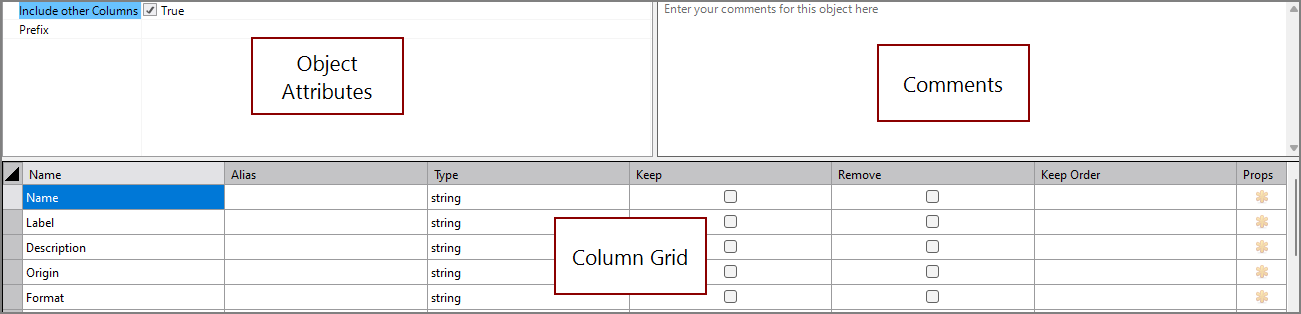
 Object Attributes
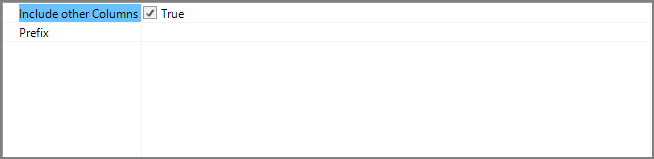
You set attributes for the Metadata Process object in the object attributes section.
| Attribute | Description |
|---|---|
| Include Other Columns | If true, any columns found in the input that are not specified are included. For information about the flow script tag, see include-other-columns. |
| Prefix | Sets a string to add to the beginning of the names of all the columns from this input. For information about the flow script tag, see prefix. |
Comments
Each object has an area where you can enter comments. It is DI best practice to enter a note for every object in a Spectre Flow script.
Every Spectre Flow node comment area is Markdown-enabled. For more information, see Workbench Markdown Editor.

Column Grid
The Metadata Process object column grid section lists the generated metadata columns.

| Attribute | Description |
|---|---|
| Name | Displays the name of each input column. This attribute is read-only. |
| Alias | Defines alternate names for any of the input columns. Spaces before or after an alias column name are ignored. Spaces within an alias column name are acceptable. |
| Type | Displays the type of each input column. This attribute is read-only. |
| Keep |
Manages which columns are kept in the output data flow. If no columns have a Keep check mark, all columns are kept in the output data flow, except for any explicitly marked Remove. Select the Keep check box for columns you want to explicitly keep in the output data flow. A number is automatically added in the Keep Order column when you select its Keep check box. After marking any column with a Keep check mark, only those marked Keep are kept in the output data flow. NOTE: After any Keep check boxes are checked, do not use the Remove check boxes, as clicking a Remove check box sets all Keep check boxes to unchecked. |
| Remove |
Manages which columns are removed from the output data flow. Select the Remove check box for columns that you want to explicitly suppress from the output data flow. NOTE: Use the Remove check boxes only when no Keep check boxes are checked. |
| Keep Order | Manages the order of the columns in the output data flow. By default, columns that are passed to the next object in the data flow are displayed in the order in which they appear in the Name column. You can change this order by typing a number in the Keep Order column. When you assign a Keep Order number, the Keep column is checked automatically. The Keep Order numbers might reorder to accommodate any changes you make. |
| Props | Opens the Edit [Column] properties window. |