Last updated Saturday, February 28, 2026 (12:36 AM)
Welcome to Workbench, the centerpiece of Dimensional Insight
NOTE: The information contained in this Help includes all functionality, including those portions limited to a special license class. As a result, you might find options described in this Help that do not apply to your software. Your purchased and installed license controls what is presented as options to you in the GUI and in the various components.
For more information, see:
Using This Help System
You can use the keyboard shortcut F1 when in Workbench to open this Help system.
The layout of this Help system varies, depending on the device that you are using to view it.
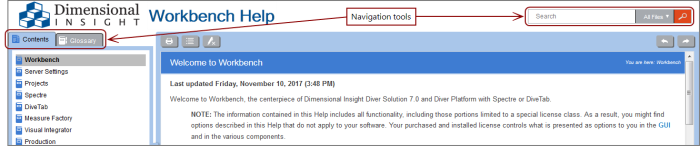
A full screen view shows a table of contents and a glossary on the left pane of the help window, and a search box on the right.
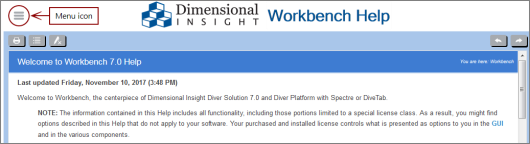
When viewing from a smaller device, such as a tablet or mobile device, the table of contents, glossary, and search box are hidden by default. You can access them by clicking the menu icon on the left of the Help window title bar.
Some Help pages have details that can be viewed by clicking blue text or a drop-down arrow.
- Clicking an
 arrow in a box typically reveals a graphic. Often, it shows an example of what to expect on the screen.
 -
A larger plain arrow typically reveals text.
Often, a detailed procedure.

Click the arrow again to reverse the action.
For more information on improving your search results, see Tips to Improve Search Results.
About Workbench
Workbench is an integrated development environment (IDE), designed to simplify and speed up development of applications that process and present your data. Workbench uses a central project repository to manage and control the back-end building blocks. With Workbench, you can test and visually examine your data flows and processes. In addition, Workbench provides one point of entry for all your
Workbench allows you to set schedules for the extract, transform, and load (ETL) tasks associated with your projects. Scheduling project tasks ensures that your transformed data is up to date and available to users when they need it.
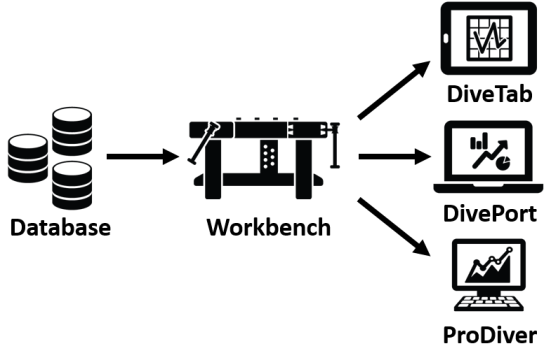
In Workbench, you can organize and transform your raw data into useful data sources that are then presented to the end-user applications as shown in the following diagram. You can design how to present the data in diveable dashboards and graphical and tabular displays. With the DiveTab, DivePort, and ProDiver clients, users can further manipulate data as well as formulate and answer questions relative to their roles in the organization.
For information about licensing, see:
- Licensing Levels
- DI-License Admin Overview