To add an external QuickView to a report palette:
-
Open and Unlock the report palette.
-
On the ProDiver menu bar, select Data > Add QuickViews or Data > Edit QuickViews.
The Edit QuickView dialog box opens.
-
Click Add Dimension QuickView.
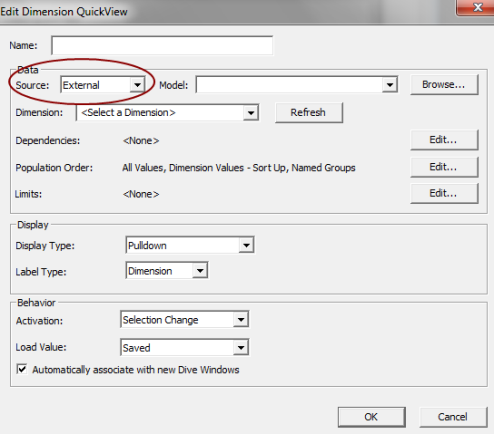
The Edit Dimension QuickView
 dialog box opens.
 -
In the Data section, Source box, select External, and Browse to the cBase, cPlan, model, DivePlan
-
In the Dimension box, enter the name of the QuickView dimension.
- Click OK, and then Close the Edit QuickViews dialog box.
See also: