Navigating the Simplified Interface
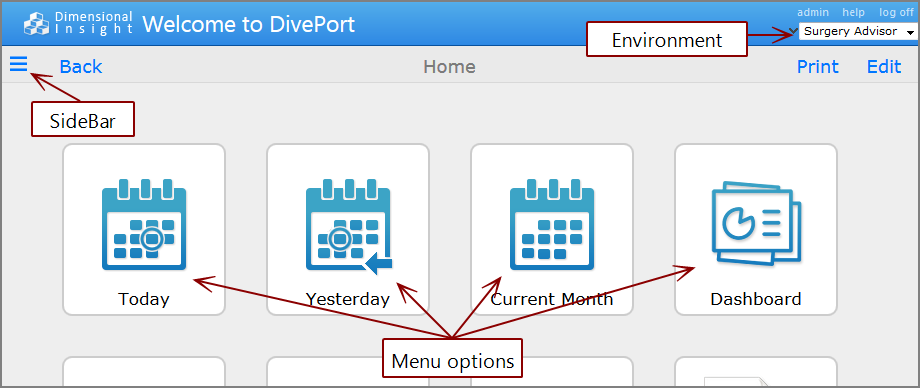
- On the right, use the Environment selector list to select an environment (available only when the portal has more than one environment).
- On the left, click the SideBar icon
 to open the sidebar and select a child page from the tree view.
 - Click a menu option icon to open a page.
In addition, there can be:
- Various click actions defined in portlet instances
-
A
 site map portlet with a hierarchical linked view of the portal
 -
A
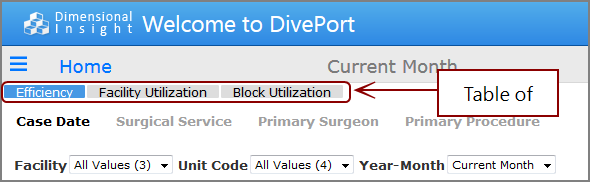
table of contents portlet with direct links to child pages

Commands and menus are located on the right side of the title bar and toolbar. Context menus are available by right-clicking unlocked pages or clicking chevron icons  that appear on unlocked pages.
See also:
- About the DivePort Interface
- About the Table of Contents Portlet
- About Site Map Portlets
- About Click Actions