Factory Portlet Options
The only option setting for the factory portlet is to specify a factory project.
Factory explore portlets must have a measure supplied from an external source. The most common way to do this is by including a click action in another portlet. As an example, using a matrix portlet:
-
Add a matrix portlet. For instructions on how to do that, see Adding a Matrix Portlet.
-
Add a
 CrossLink click action to the matrix portlet.
 -
Click OK to save your click action.
-
Add a factory explore portlet. For instructions on how to do that, see Adding a Factory Portlet.
-
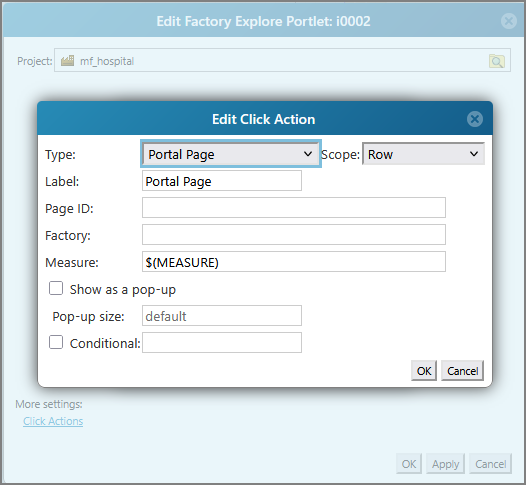
Add a portal page click action.
-
In the
Measure field, enter $(MEASURE). -
Click OK to save your click action.

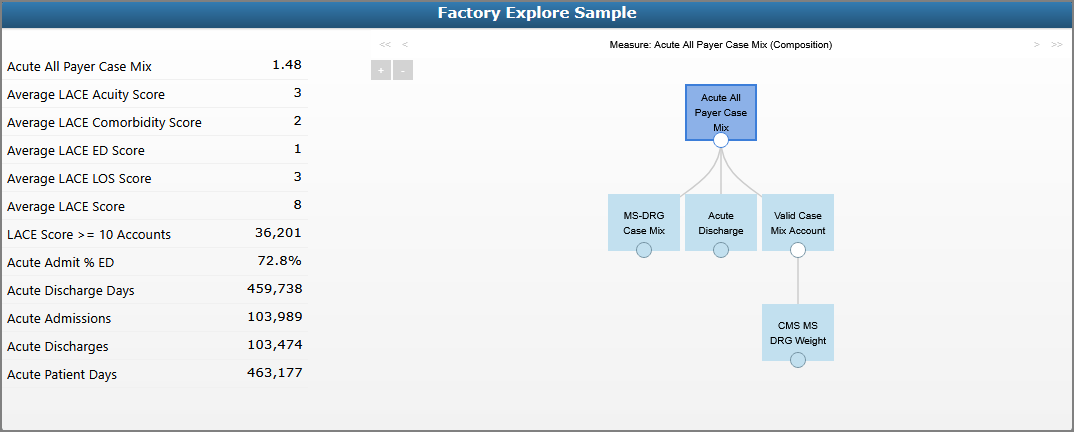
This creates a link between the matrix portlet rows and the factory explore portlet. When you click on a row in the matrix portlet, the factory explore portlet displays the measure and any associated measures or rules.
See also: