Occasionally, you might want to extract your data from the factory files. There are different options to accomplish this task. You can:
- Write a Dive script to pull selective dimensions and summaries
- Create an Integrator script to squash the data
- Write a DI-ODBC SQL query to create an external table of your data.
Which factory output file you use as a starting point depends on what you want to do.
-
If you simply need a list of measures, you can dive into the /factory-output/__internal/measure-info.cbase.
-
If you need measures that span data sets, the /factory-output/__internal/all_measures.cplan is a good starting point.
-
If the measures you need only use rules from one data set, the cPlan for that data set would work; for example /factory-output/__internal/data-sets/Account.cplan
If your objective is to build a cBase of summarized measure values for limited dimensions, you can take steps similar to these:
-
Create a Spectre Dive that reads in the cPlan for the data-set. List the dimensions you want to keep, along with the measure columns. For example:

Note that this works well for summaries. If you need averages, you need to extract the numerator and denominator separately and recalculate your averages.
-
If you want to simplify further, you can rename your columns to remove the "Measure:" prefix. For example:

-
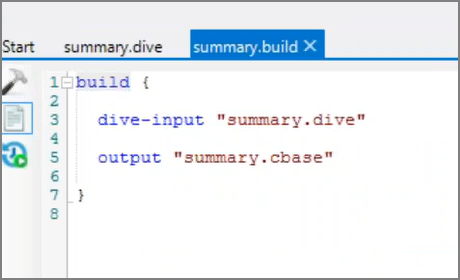
Next, write a simple Build file that uses the Dive as input. For example:
-
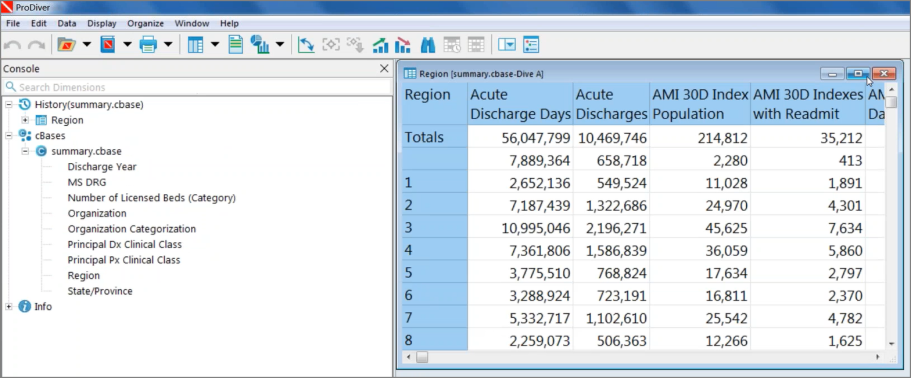
After running the build, you can examine the results in ProDiver. For example: