Spectre Flow JSON Output Object
The JSON Output Object specifies the location for the JSON file output.

The JSON Output object has two sections in the properties panel where you set attributes.

 Object Attributes
You set attributes for the JSON Output object in the object attributes section.
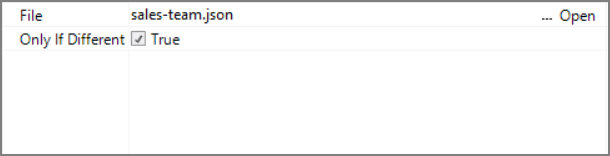
| Attribute | Description |
|---|---|
| File | Defines the name and path of the file that this object creates. Enter a path and file name in the File box, or use the browse button to select the file. For information about the flow script tag, see file. |
| Only if Different | If true and a file with the same name and file path as File exists, then the existing file is only overwritten if there is a difference between the existing file and the output file. For information about the flow script tag, see only-if-different. |
Comments
Each object has an area where you can enter comments. It is DI best practice to enter a note for every object in a Spectre Flow script.
Every Spectre Flow node comment area is Markdown-enabled. For more information, see Workbench Markdown Editor.

Column Grid
The JSON Output object column grid section lists the columns to output.

| Attribute | Description |
|---|---|
| Name | Displays the name of each input column. This attribute is read-only. |
| Type | Displays the type of each input column. This attribute is read-only. |
| Source Object |
Displays the name of the source object for the column. This attribute is read-only. Double-click the Source Object value for a column to change focus to that object. |