Spectre Flow cPlan Input Object
The Spectre Flow cPlan Input object brings typed data into the build script from a cPlan.

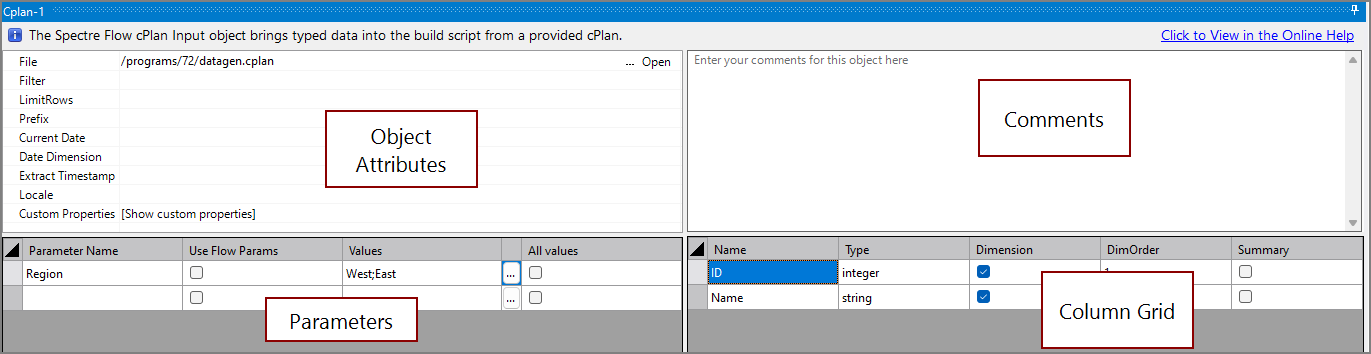
The cPlan Input object has four sections in the properties panel where you set attributes.
 Object Attributes
You set attributes for the cPlan Input object in the object attributes section.
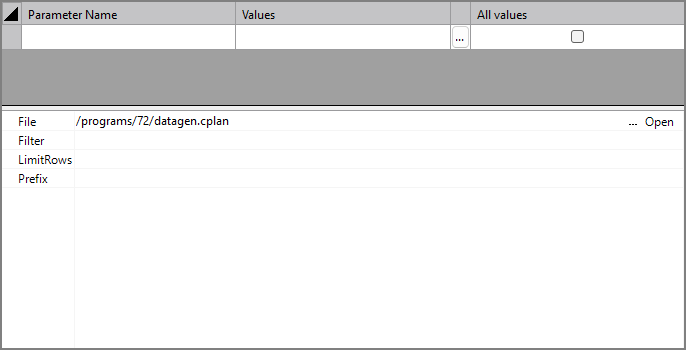
| Attribute | Description |
|---|---|
| File | Specifies a cPlan file to use as an input. For information about the flow script tag, see file. |
| Filter | Specifies a filter expression to apply to the cPlan. The filter is applied at the detail level, and parameters can be specified. Optional. For information about the flow script tag, see filter. |
| Limit Rows | Sets the number of rows to input. Any existing rows after the specified number are not processed. Optional. For information about the flow script tag, see limit-rows. |
| Prefix | Sets a string to add to the beginning of all column names from this input. Optional. For information about the flow script tag, see prefix. |
| Current Date | Specifies the current day for time-series calculations and Analysis Tables. The value of this attribute must follow the default DI date formatting of "YYYY/MM/DD". It is DI best practice to pass a parameter with the current date value to this attribute rather than writing the value directly in the attribute. The default current date is today(). |
| Date Dimension | Specifies the name of the date dimension. This dimension is used in time-series calculations and Analysis Tables. |
| Extract Timestamp | Defines a timestamp value for later use in ProDiver. The timestamp value is accessed in ProDiver using the $EXTRACT_DATE and $EXTRACT_TIME macros. It is DI best practice to pass a parameter with the extract timestamp value to this attribute rather than writing the value directly in the attribute. |
Parameters
The cPlan Input object supports passing parameters to the source cPlan script.
| Attribute | Description |
|---|---|
| Parameter Name | Defines the name of the parameter in the source file. |
| Use Flow Params | Check to specify that the parameter values are defined by a script-level parameter instead of manually defined in the parameter table for this object. |
| Values | Defines a value or series of values to pass to the source file. You can type values as a semicolon delimited list in this field or one-by-one by clicking the Edit values ellipses  . . |
| All Values | Check to specify that multiple values are available for the source file. |
Column Properties
To access column properties, select a column from the Column List. The following attributes are common column attributes. For a list of all column attributes, including attributes specific to certain data types, see Spectre Flow Column Tags.
| Attribute | Description |
|---|---|
| Name | Read only attribute displaying the name of the column. |
| Type | Specifies the data type of the column. Available data types are string, integer, double, fixed100, date, datetime, period, and boolean. |
| Sort By | Defines another column to sort by when this column is sorted. For example, setting Month Number as the Sort By column for Month sorts months by their number instead of their alphabetical order (1 (Jan), 2 (Feb), 3 (Mar), etc.). |
| Label | Defines a display name for a column. This name is displayed in ProDiver and DivePort, while calculations and other technical processes use the value in the Name attribute. |
| Required Dimension |
Sets a column to behave like a classic Info Field. In ProDiver, the info field is available as a column that you can add to other columns displayed in a dive. For example, to see the Address column requires that the Customer column is available. Setting a Required Dimension
|
| Suggested Dimension |
Allows you to promote or demote a column.
|
| Comment | Defines a comment that describes this column. |
Comments
Each object has an area where you can enter comments. It is DI best practice to enter a note for every object in a Spectre Flow script.
Every Spectre Flow node comment area is Markdown-enabled. For more information, see Workbench Markdown Editor.

Column Grid
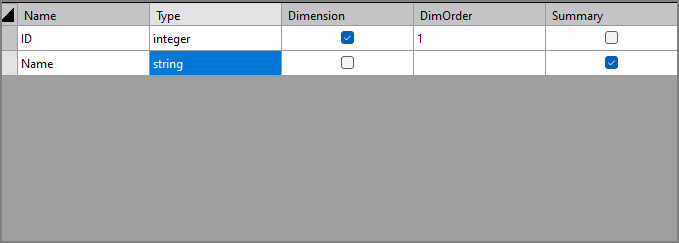
The cPlan Input object column grid section lists the columns from the input files.
| Attribute | Description |
|---|---|
| Name | Displays the name of each input column. This attribute is read-only. |
| Type | Displays the type of each input column. This attribute is read-only. |
| Dimension |
Sets the column to be a dimension column. At least one column must be set as a dimension column or summary column. |
| DimOrder | Sets the dimension order. This field populates automatically with a number reflecting the order in which you have specified the column as a dimension column. You can change the order value manually by double-clicking on this attribute. |
| Summary |
Sets the column to be a summary column. At least one column must be set as a dimension column or summary column. |