Using Lock and Unlock Nodes
Lock and unlock nodes allow you to prevent certain scripts from running until a previous script has completed, or if a script containing an unlock node runs. Locks are automatically removed if a script finishes (no matter if it’s a success, failure or it’s been aborted) and are stored in-memory. This means that locks, their queues, and the scripts waiting to run, all cease to exist when DiveLine restarts. The Unlock node is only needed if you want to unlock a lock node early. Lock names are case-sensitive and work across an entire DiveLine.
TIPS:
-
To keep a lock specific to a single project, try parameterizing the lock name with the project name like: $(_project_name).lock
-
When a Lock node is waiting in the queue, clicking on the node’s log will show what script has placed the lock there and when.
-
Scripts in the queue are handled first-in-first-out. As soon as a lock is removed, it will automatically start the next script in line. This unlocking and re-locking process deliberately takes a second or two to prevent timing issues.
-
Note that lock names are shared across the whole DiveLine instance, and are not limited by projects. So an Unlock node in one project can remove a lock placed by a script in a different project.
-
The idea behind selecting a “Lock Node” over a specific “Lock Name”, is to ensure that if you decide to change the lock name in the Lock node, that you can’t accidentally forget to also refactor the Unlock node.
Example
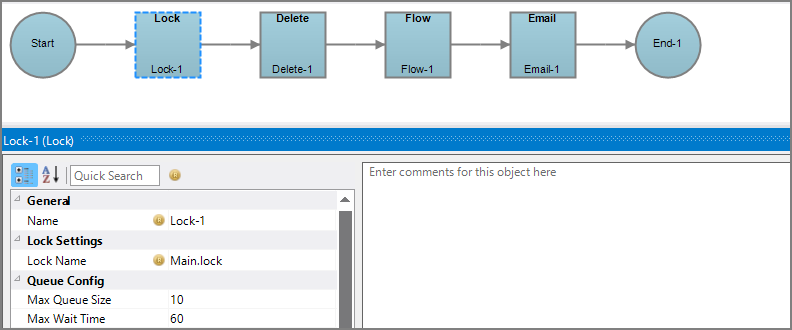
In this example, there are two Production scripts. The side script, Reliant.prd is reliant on the main script's, Main.prd, completion.
Main.prd is as follows:
Reliant.prd is as follows:
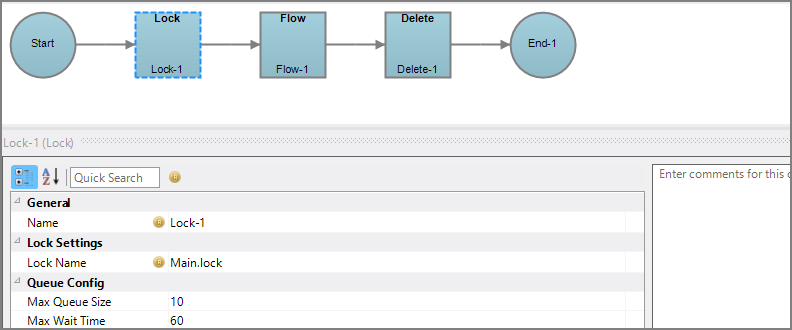
Both scripts have a Lock node, and both Lock nodes share a Lock Name attribute. This means that while Main.prd is running, if Reliant.prd starts running, it will be placed into a queue when the script reaches the Lock node. Reliant.prd waits until Main.prd has finished running before continuing from the Lock node. This is displayed by clicking on the Lock node in the queued script while it is waiting to run.
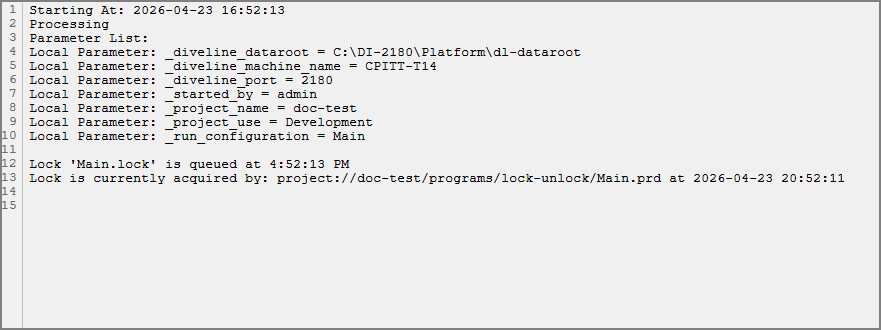
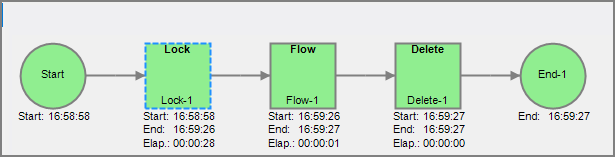
When Main.prd has finished running, it releases the lock, and the next script in the queue runs. This is Reliant.prd, and the completed run diagram for Reliant.prd displays the elapsed time waiting in the queue.
The Unlock node allows for a Lock to release before its Production script finishes. If Main.prd had an Unlock node, it would appear as follows:
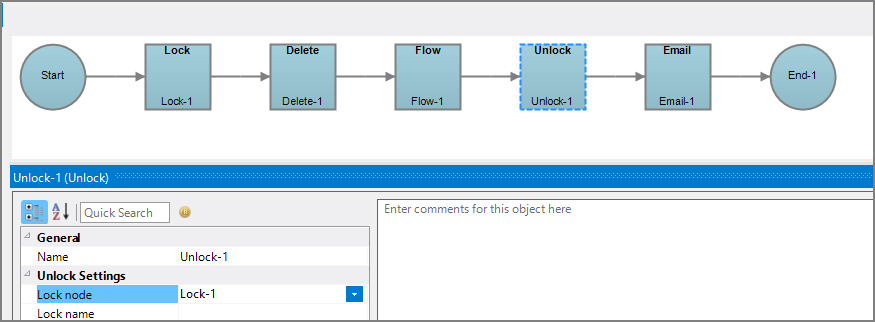
In this version of Main.prd, the Email node doesn't require other scripts to be queued to run properly, so the Unlock node has been placed before it. When the Unlock node runs, it lets the next script in the queue begin running. Rather than specify the lock name, since the Unlock node is in the same script as the Lock node, the option of specifying the node itself is available.
For more information, see: