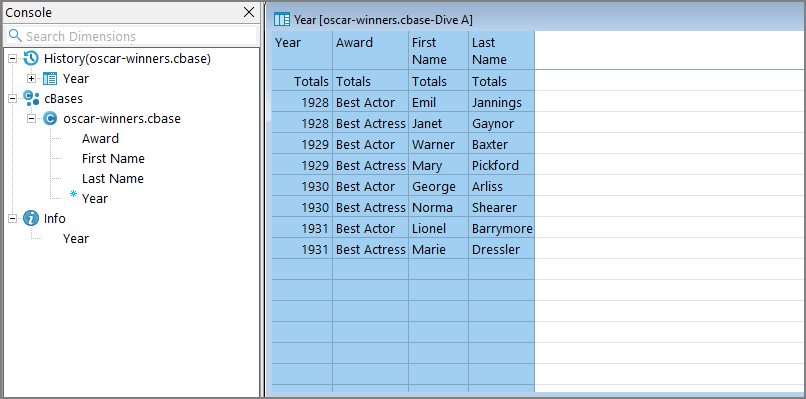
Suppose you have data like this:
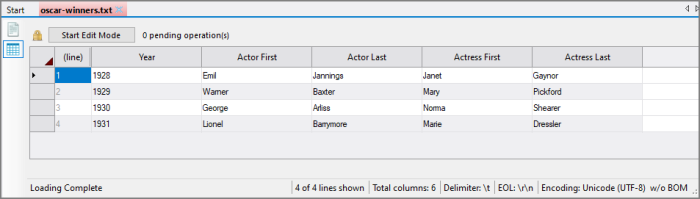
And you want to build a cBase with the following 4 columns:
Year, Award, First Name, Last Name
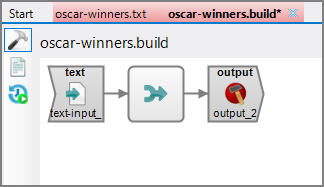
You can include a rotate in your Spectre build. For example:
-
In the Workbench Explorer, right-click on the text file and select Generate Spectre Build Script.
The Save File dialog opens.
-
Select the directory and name the script
The
 Build Flow Editor opens.
 -
In the flow panel, select the text-input object.
Below the flow panel the properties panel displays the file's path and columns.
-
In the Columns section, select integer for the Year column type and string for the other columns. Be sure Keep is checked.
-
In the flow panel, right-click on the Concat object and select New Object After This > Rotate.
-
Name and then select the Rotate object.
-
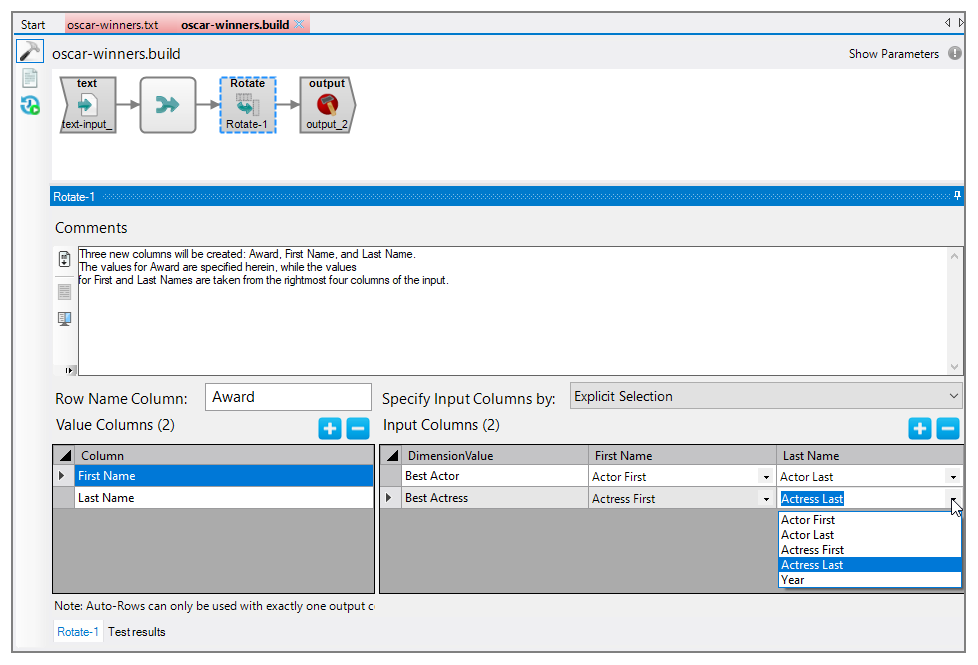
For the Row Name Column, enter Award.
-
In the Value Columns panel, click the plus sign twice.
Two instances of New Column appear in the grid.
-
In the first row, replace New Column with First Name. In the second row, replace New Column with Last Name.
-
In the Input Columns panel, click the plus sign twice.
Two instances of New Row appear in the grid.
-
Under DimensionValue, replace New Row with Best Actor and Best Actress.
-
Use the pull-downs under First Name and Last Name to select the appropriate source.
-
In the flow panel, select the output object. Notice that cBase columns: Year, Award, First Name, and Last Name.
-
Save and run the Build script.