A conditionalized link is one that only appears if certain conditions are met. If the text column value meets the conditions, a link is active. If the value does not meet the conditions, the link is not active.
Here is an  example of a report page with a conditionalized link column where the condition is that only values greater than 1,000,000 have active links.
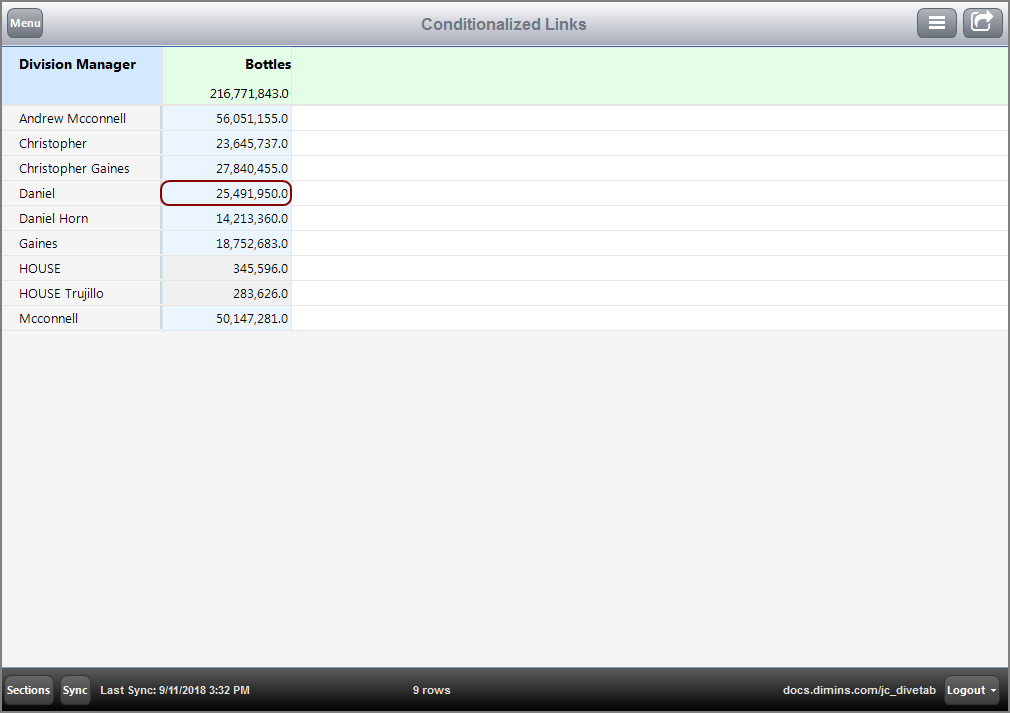
NOTE: The active links are shaded blue and the not active links are shaded gray.
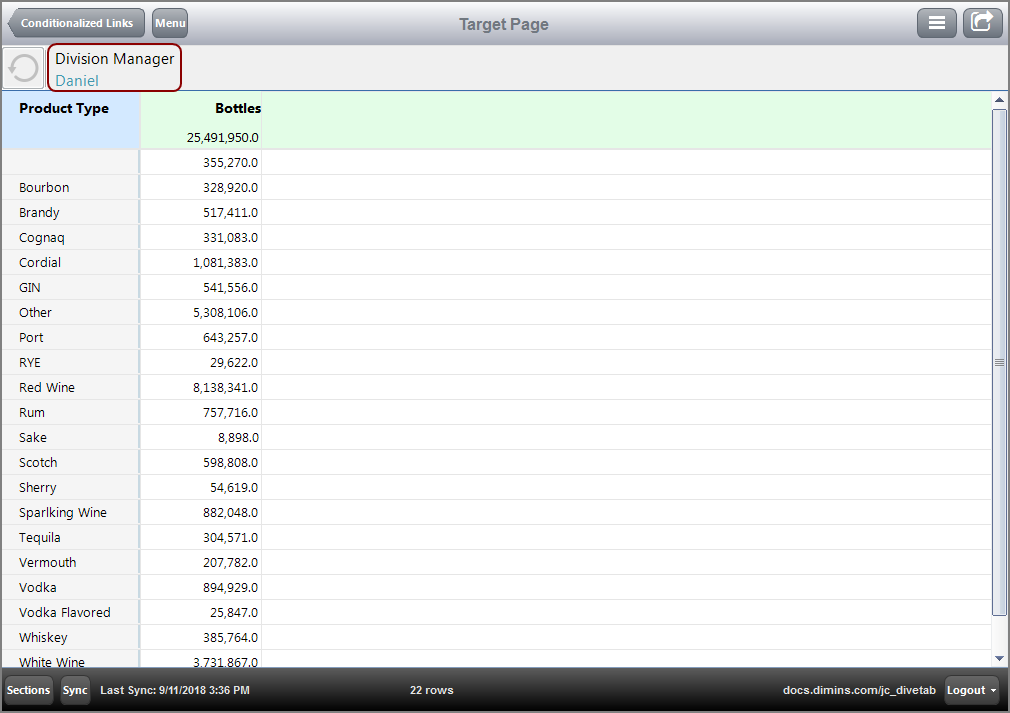
Here is the resulting page for following value Daniel.
Here is how the conditionalized link appears in the code.
If the condition column is not empty, the link is active. An active link is indicated by shading the cell light blue.
Here is the calc from the cPlan that determines the conditions for the condition column.
calc "BinaryCalc" `if(add(value("Bottles")) > 1000000, "1", "")`
If the condition column uses the same column it is included in, then the condition is determined by whether a value is specified or not.
Here is an example of a condition column that uses the same column.
  text column = "Chain Store ID" {
    link {
      condition column = "Chain Store ID"
      page id = "rp-sales"
    }
  }
For this example, if a Chain Store ID is not provided, a link is not present.