In order to use Spectre measures, you need to be clear on what data is available and carefully define what each measurement is, before trying to configure it in Workbench. A Measures definition clearly states what is being measured, how it should be interpreted, and what it can be compared with. It indicates what data elements are needed, the source systems, and the business rules that are applied to transform basic elements into more meaningful nuggets of information.
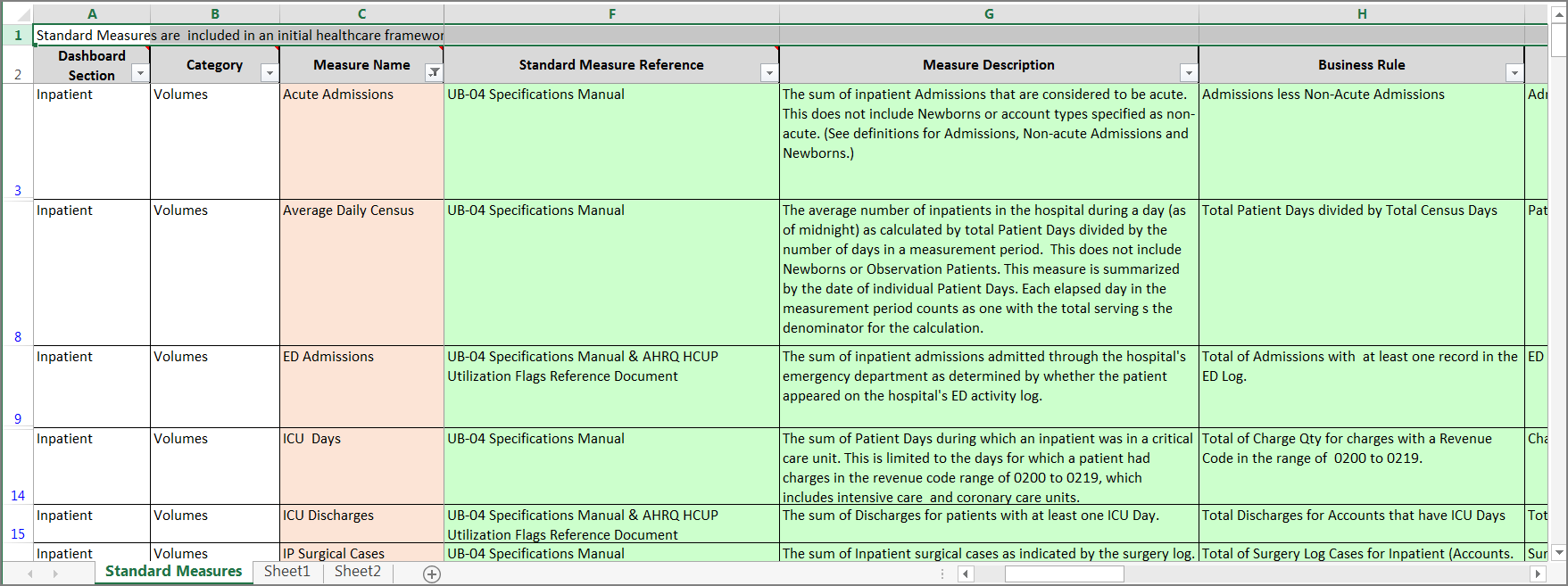
Before you can define a measure, you need to be clear about what you are trying to measure. Using a spreadsheet is a convenient way to collect and organize information needed to define a set of measures. DI has a template Measures Master that contains typical healthcare related measures based on industry standards such as universal billing and performance assessments. Basic elements include:
- Measure name
- Measure description
- Standard reference
- Business rule
- Source systems for component data elements
The Measures Master is often displayed in a DivePort as a dictionary. For example:
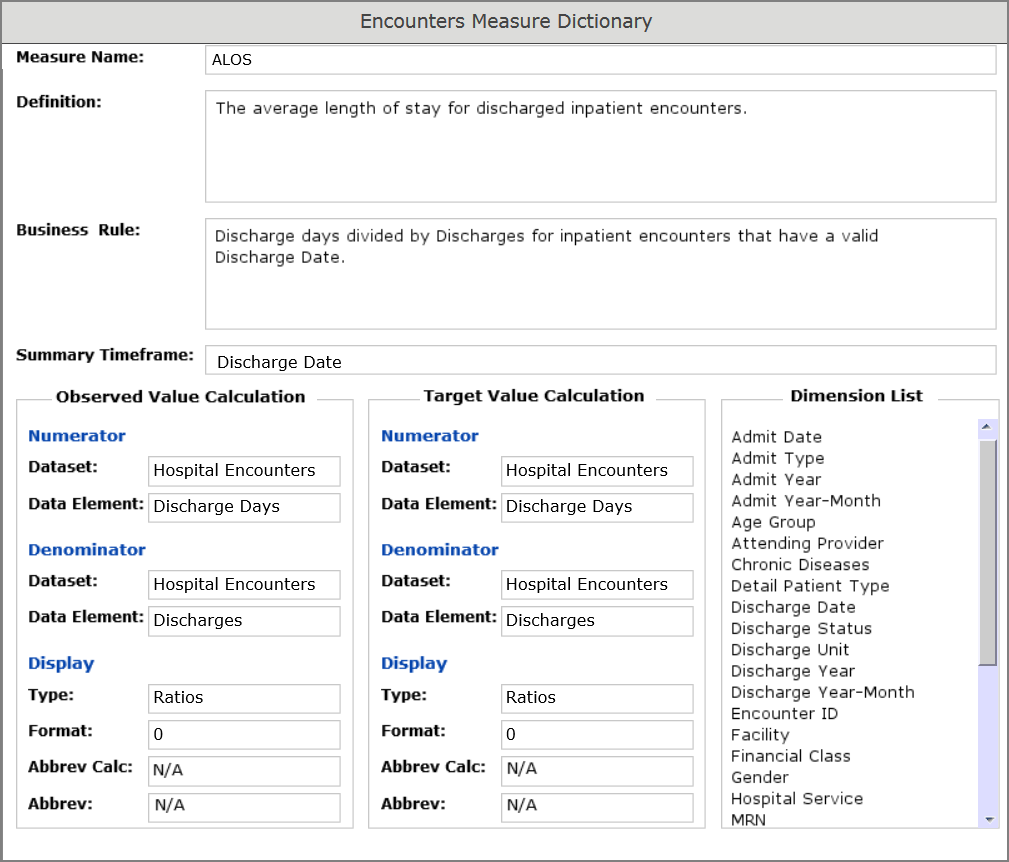
The Measures Master focuses on relevant fields for each measure. A lot of work and collaboration goes into identifying the dashboard section for the measure, confirming the description, agreeing on the business rules for the enterprise, identifying dependent fields, categorizing the measure type, and identifying the owner and data expert, the time frame for summaries, the update frequency, numerator data source, numerator data elements, denominator data source, denominator data elements, display formats, and more. Both the coder and the end user need a good understanding of the data going into a measure and its intended use in a dashboard.
Once the required data is identified, the process of capturing that data on a fixed schedule begins. Many ETL steps can be required to prepare the data and build cBases for different data sets. This is where Data Integrator and Production are used to:
- Extract or collect data from source systems, categorizing it as transaction or reference
- Standardize the datasets by assembling them based on industry standards, translating codes and formats
- Transform the datasets by combining like data, applying business rule logic and integrating reference data
- Organize the enhanced datasets, adding calculations and metatdata to support measures needed for both presentation and analysis
This last step is where the Spectre Measures functionality is used to generate additional cBases and cPlans to provide the calculated measures to the clients.
NOTE: This basic Spectre measures functionality is available without an additional license. However, its usage is deprecated.
See also:
- Measures Process Flow
- Spectre Measures Process
- Spectre Measures Code Samples
- Spectre Measures Code Block
- Spectre Measures Tags