The following code includes multiple data pages in a sections block. The pages can be accessed using the Sections button.
  data-area id = "data-area-1" {
    title "Sections Sample"
    icon "/divetab/images/apps.png"

    sections {
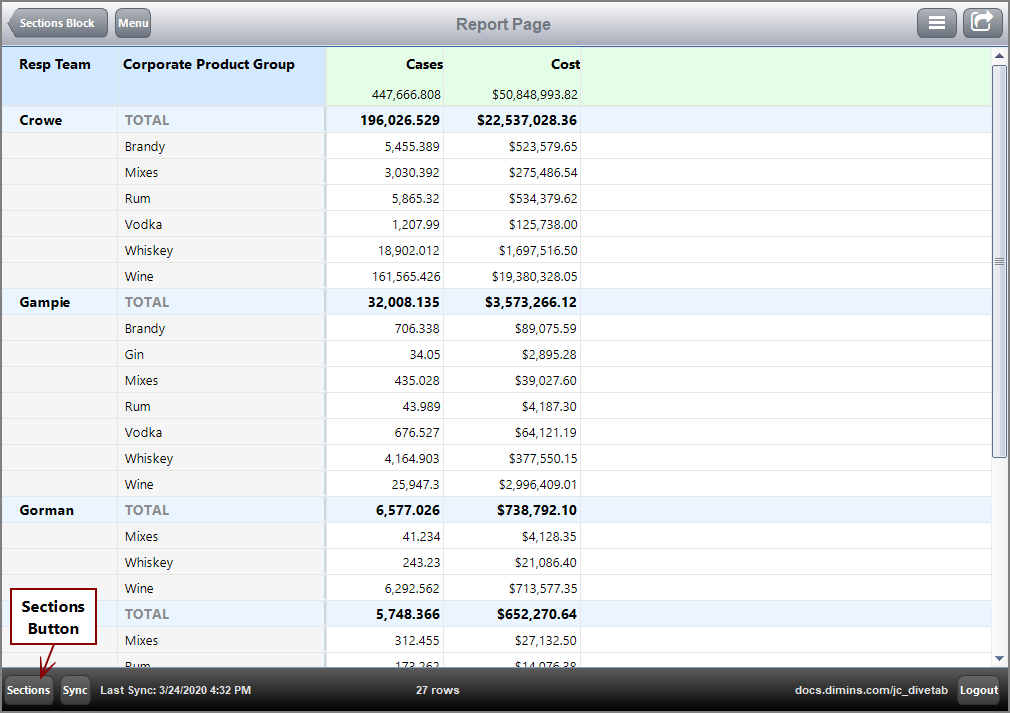
      report-page {
        title "Report Page"
        cplan "/cplans/basic_102.cplan"

        dimension "Resp Team"
        dimension "Corporate Product Group"

        text column = "Cases"
        text column = "Cost" {
          value-format "$#,###.00"
        }
      }

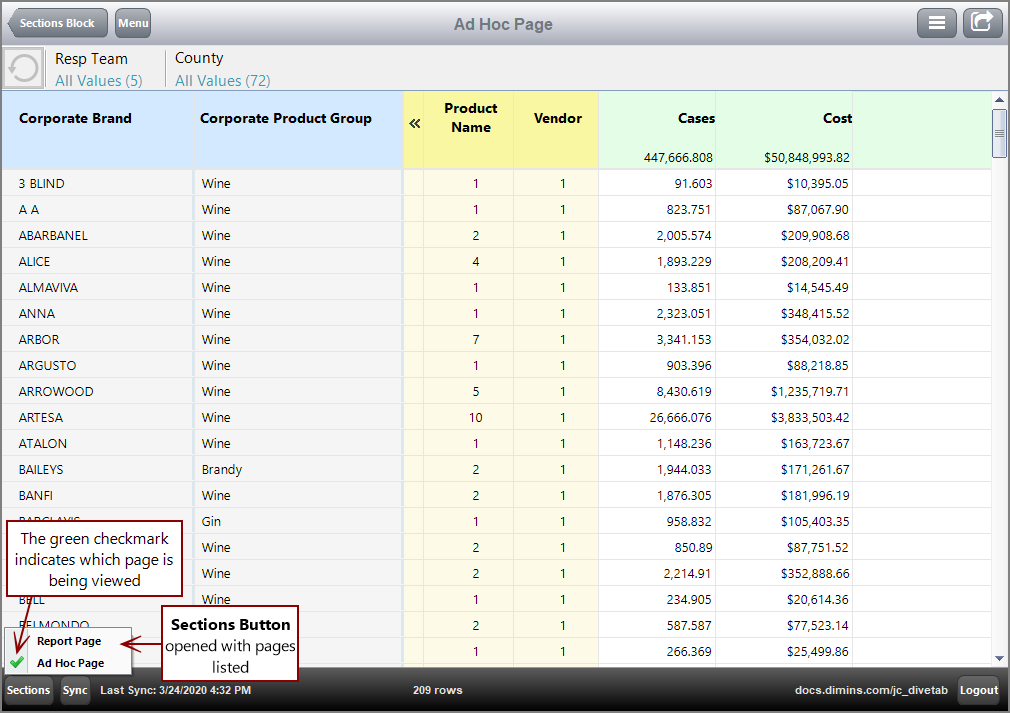
      ad-hoc-page {
        title "Ad Hoc Page"
        cplan "/cplans/basic_102.cplan"

        dimension "Corporate Brand"
        dimension "Corporate Product Group"

        dimcount-dimension "Product Name"
        dimcount-dimension "Vendor"

        quickview-dimension "Resp Team"
        quickview-dimension "County"

        available-dimension "Premise"

        text column = "Cases"
        text column = "Cost" {
          value-format "$#,###.00"
        }
      }
    }
  }
Here is the  result of the code in DiveTab.
Here is the second page in the sections block, ad hoc page, displayed.
A sections block can include ad hoc, cross, dive, overview, and report page types.
IMPORTANT: You cannot link to a data-area in the sections block.
See also: