A proxy login occurs when a DiveLine administrator temporarily logs in to
NOTE: When accessing ProDiver, the proxied user does not need to be licensed as Advanced for Diver Solution, or as ProDiver for Diver Platform.
To use proxy login:
- Log on to
-
On the toolbar, select File > Proxy Login.
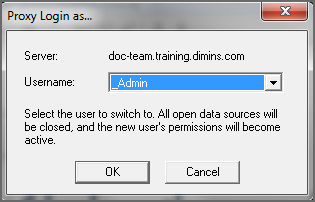
The Proxy Login as dialog box opens.
-
Use the Username list to select the user that you want to log in as, and then click OK.
All open projects close and the user permissions change to those of the user you selected.
To resume using your own username and permissions,