Clicking an interactive or live graph object affects the graph or console display in some way. All graphs have live objects. The locked state of the graph can affect live objects.
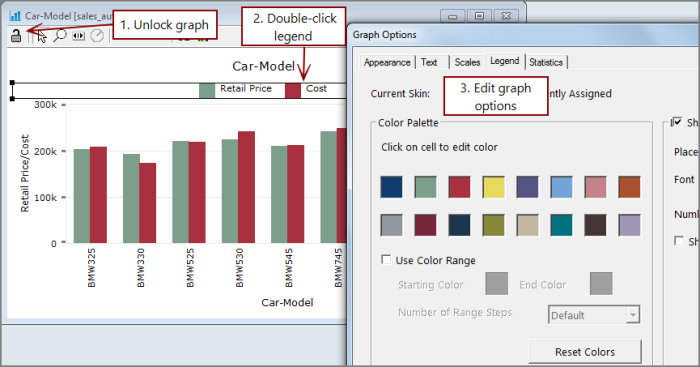
For example, on an unlocked graph, if you double-click a legend, the Graph Options dialog box opens, which you can use to change the appearance of the graph.
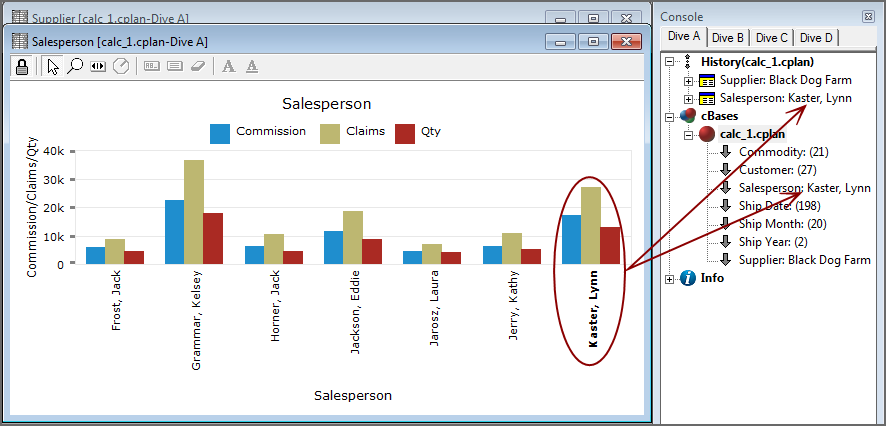
On a locked graph, clicking a graph element selects that value and allows you to perform another dive. In the following example, double-clicking the label representing Salesperson Lynn Kaster, updates the Console History and the Console display (Salesperson name, Supplier name, and DimCounts), and then another dive can be performed using the console.
NOTE: Instead of clicking the label, you can click one of the associated graph bars. The effect is the same.