To link a report palette cell to a reference link file:
-
Open and Unlock the report palette.
-
Double-click the cell in which you want to place the link.
The Edit Item dialog box opens.
-
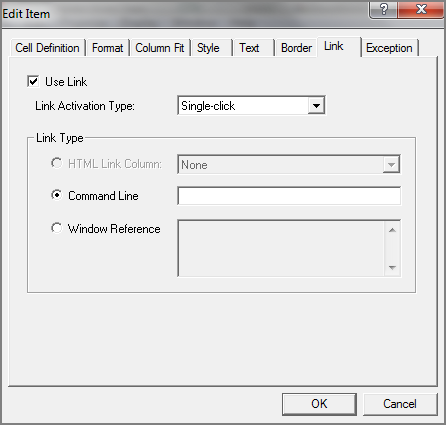
Click the Link tab.
The Link
 dialog box opens.
 -
Select Use Link.
-
Optional. Select a Link Activation Type from the list. Choices are Single-click or Double-click.
-
Select Command Line.
-
In the adjacent text box, enter the reference link path and filename.
-
Click OK.