When the active window is the result of a cascade dive or QuickView dive, cascade printing allows you to select one or more parent dimension and batch print the resulting dive output for every combination of values of the selected dimensions.
NOTE: You can choose a network printer for the cascade printing output or you can save it as a pdf file in a directory that you specify.
For example, if you wanted to compare sales data across sales teams, you could dive on the data and retrieve the information for one team, convert the parents to QuickViews, and then perform a cascade print with the Sales Team dimension selected. ProDiver prints a report for each sales team.
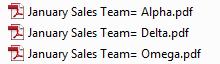
Each variation prints on a separate page.
See also: