Some dimension values are dependents of other dimension values.
For  example, a cBase
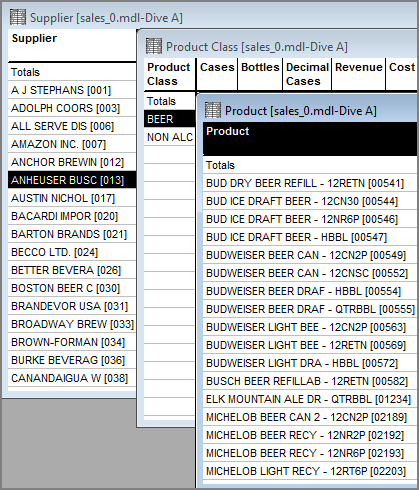
In this case, each product is associated with only one product class and one supplier. The list of products that appears in the dive window varies, depending on which parent dimensions are selected. Therefore, the Product dimension is a dependent of the Product Class dimension and the Supplier dimension.
Understanding this hierarchy is an important consideration for cascade diving and QuickViews. In this example, if you attempt a cascade dive on a wine supplier (Freixenet), error because the product class specified in the earlier dive (Beer) is not valid for the Freixenet supplier.

When you use the Convert Parents to QuickViews option, ProDiver recognizes the dependency. The dependent QuickView lists values that apply to the dimension value that they depend on.
In this example, each Salesperson is associated with (and therefore a dependent of) a specific Sales Team. The list of names in the Salesperson QuickView is limited to members of the selected Sales Team (Team Alpha). If you select another option from the Sales Team QuickView, the list of names in the Salesperson QuickView is automatically repopulated.
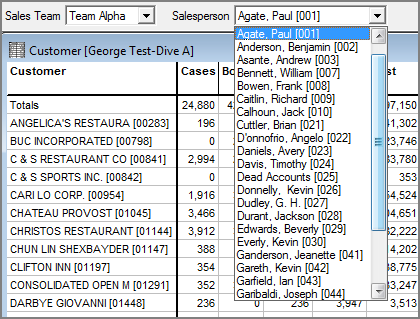
If you create a QuickView for a single dimension, you can define dependencies using the Edit Dimension QuickView dialog box.
See also: