Adding a Page and Maximum Page Number Items
To demonstrate how to use the $PAGE and $MAXPAGE variables, complete the following steps:
-
Open a cBase or model and build a tabular report or open the inserting_metadata marker if previously saved.
-
Unlock the report and click the Add Item icon.
-
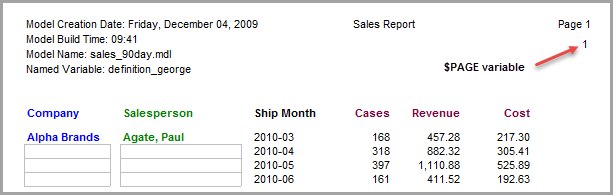
Select Text as the Item Type and click the $PAGE variable. (If you are using the marker file, adjust the Vertical/Horizontal spacing to position the page number to the right side of the page below the $MODEL_FOOTER variable.)
-
Click OK to insert
 the page number.
 -
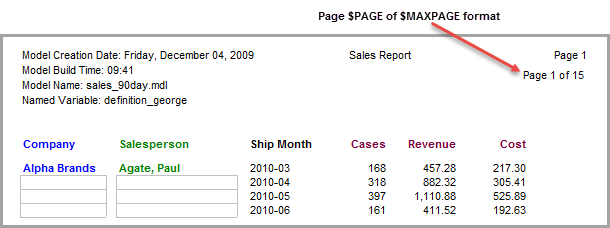
To modify the page number format so that it shows the last page number in the report, double-click 1 to open the Edit Item dialog box.
-
In the text box, modify the $PAGE format as follows: Page $PAGE of $MAXPAGE.
-
Click OK to
view the report. -
Click File > Save Marker as inserting_metadata to continue using this report in other topics.