Adding a Subtotal Text String
To illustrate how to insert this value, complete the following steps:
-
Open the model sales_90day.mdl or the insert_new_metadata marker created in Adding the Earliest and Latest Date in a Find Time Period Action topic. This procedure continues with the marker file.
-
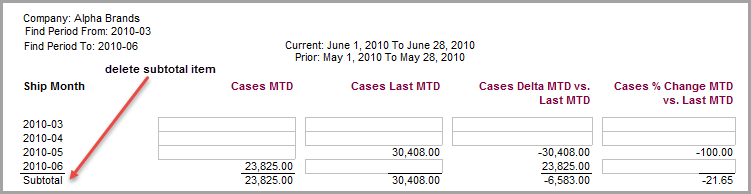
Unlock the report and delete the Subtotal
 item.
item. -
Click the Add Item icon to open the Add Item dialog box and perform the following actions:
- Click $TOTAL_STRING.
- In the Breaklevel tab, select Ship Month as the Dimension and Tail as the Location.
- In the Position tab, select Column A.
- In the Style tab, select Total-Bottom as the Style Name.
-
Click OK to view the report.