To create rules with the Measure Factory Editor:
On the upper right of the Rules page, click New.
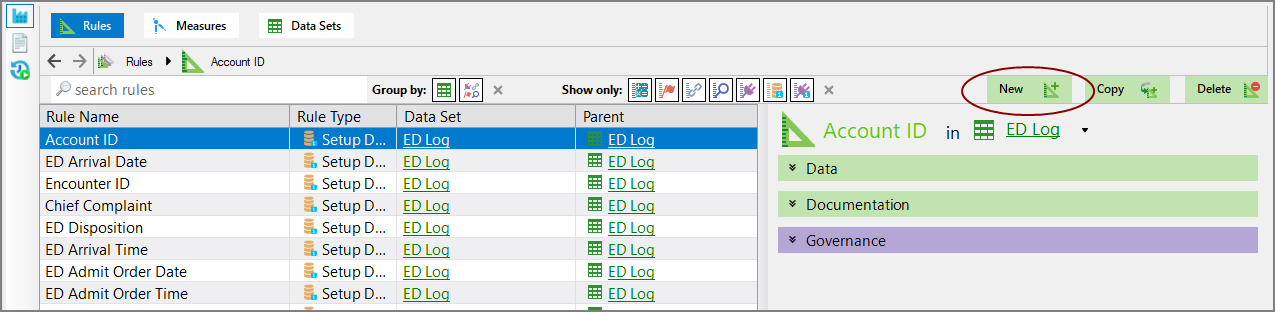
The New Rule  dialog box opens in the right pane.
TIP: When you click on a rule, a description appears to the right of the list.
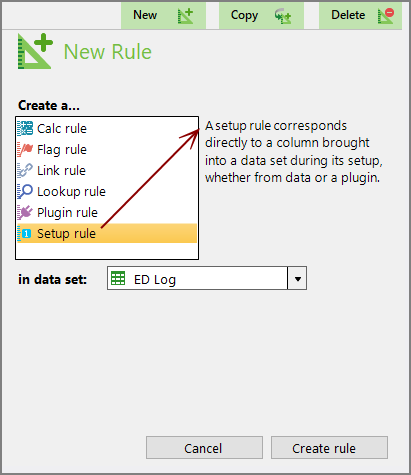
Select a data set and a type of rule, and then select Create rule.
|
I want to... |
Type of rule to create |
Icon |
|---|---|---|
|
Select specific columns to pull in from the source input. |
Setup rule |
 |
|
Process an expression that returns a value of any Spectre data type |

|
|
|
Associate a single value from the source data with values defined in a lookup table |

|
|
|
Associate one or more values from the source data with values defined in a flag table |

|
|
|
Move values from one data set to another |

|
|
|
Perform an action other than the ones described above |

|
For more information, see Measure Factory Rule Types.