Diver Solution 7.1 comes with a specific number of licenses for access to Dimensional Insight client applications. This topic describes how to use
NOTE: Some Diver Solution add-ons, such as DivePort-In, do not appear in the
There are two methods for assigning users access to applications:
 Individual User
Choose which client applications a user can access while creating or editing the user's settings. This method is useful while creating or editing individual users.
The individual user settings, which are available on the Users > <username> > Security/Licensing tab, display a Clients list as shown here. Select the appropriate client types to grant the user access. For more information about creating users and editing user settings, see Managing Users.
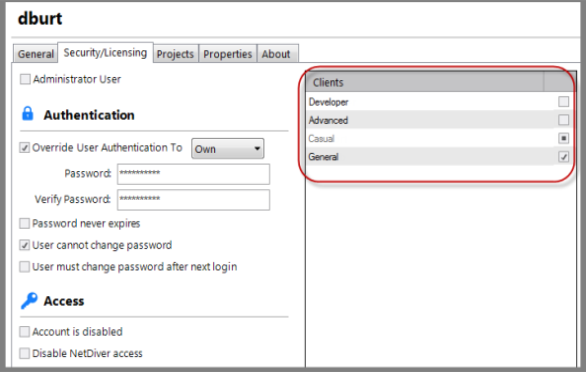
NOTE: Help Desk licenses require that the user is a DiveLine administrator.
Licensing TabThe
here.
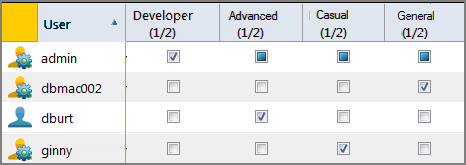
The numbers adjust as you select and clear the check boxes.
NOTE: The Developer user type grants access to all client applications, as shown with the shaded check boxes, without using available licenses for the user types other than Developer.