The Dive Dimension displays how many values of that dimension correspond to a dimension value.
For this  data page example, Dive Dimension Customer has value 49, which corresponds to Corporate Brand ARBOR. This means that ARBOR has 49 associated customers. The value, 49, is called a DimCount.
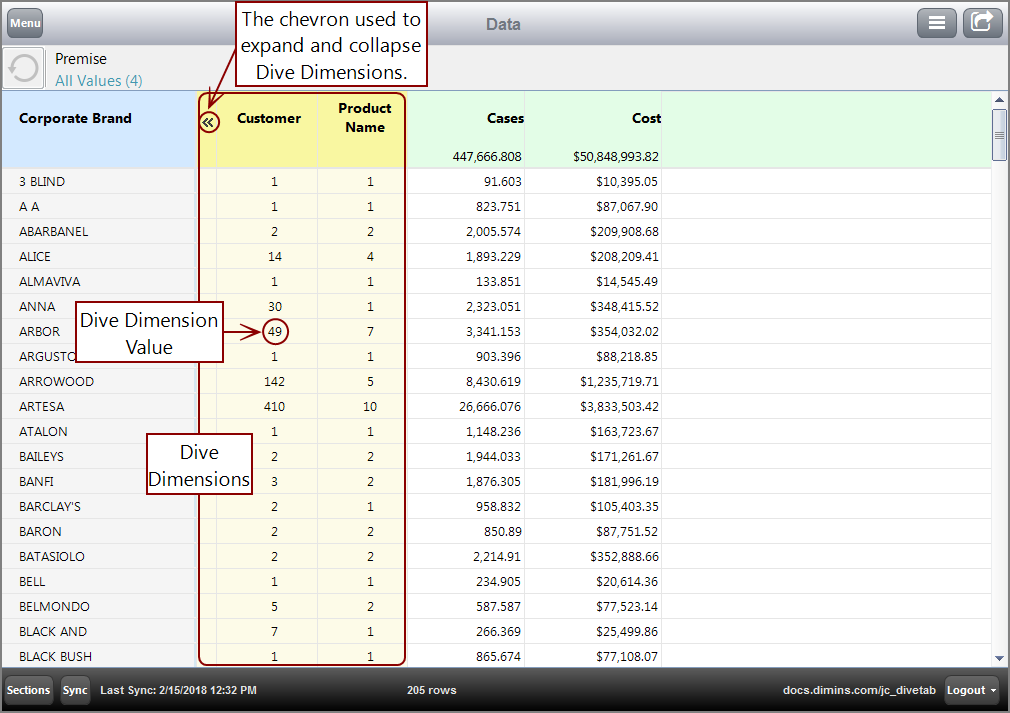
You can dive on the Dive Dimension value, which shows the number of values specified. For example, Dive Dimension value 49 shows you the 49 Customers for Corporate Brand ARBOR. A context menu can switch
Here is the resulting tabular page after diving on value 49.

See also: