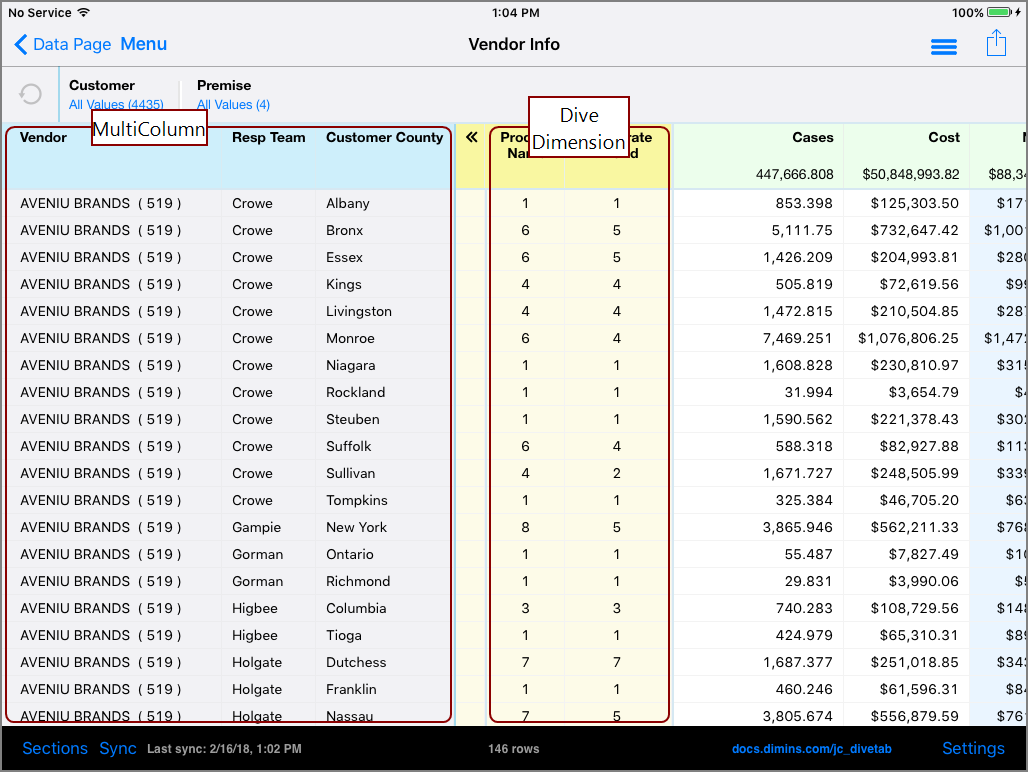
MultiColumns are dimensions (columns with blue headings), that can be switched with
There are no limits on the number of Dive Dimensions or MultiColumns in use, and when editing dimensions any dimension can be used as a MultiColumn.
Here is an  example of a data page with MultiColumns and Dive Dimensions.
Here example of the context menu for the dimension.

Notice that the dimension has a context-menu option to Remove MultiColumn and switch with another dimension or Dive Dimension.
NOTE: You view context menus for one column at a time.
Here is an example of the context menu for a Dive Dimension.
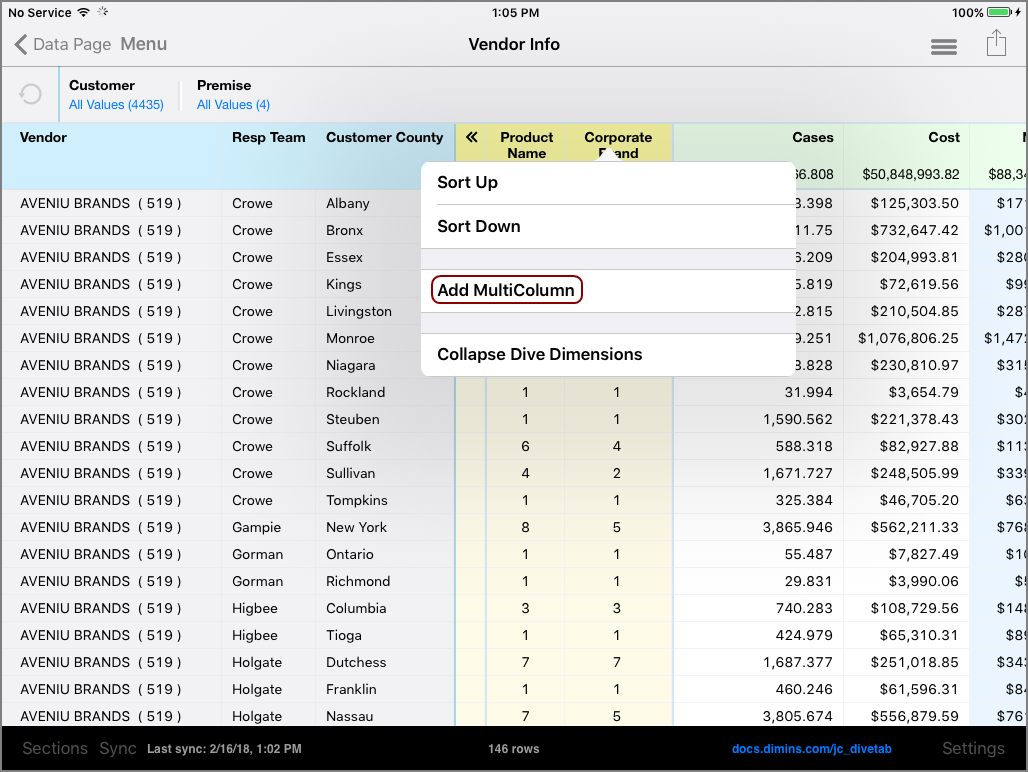
The context menu for Dive Dimensions gives the option to add the Dive Dimension as a MultiColumn, making it a dimension.
NOTE: Typically if a Dive Dimension is not present, MultiColumns are not in use.
Here is the resulting page after Corporate Brand is added as a MultiColumn.

See also: