Switching Dimensions

When there are MultiColumns or Dive Dimensions in a data page, you can switch a dimension with another dimension or Dive Dimension. The dimensions that can be switched appear in the context menu.

To switch a dimension:

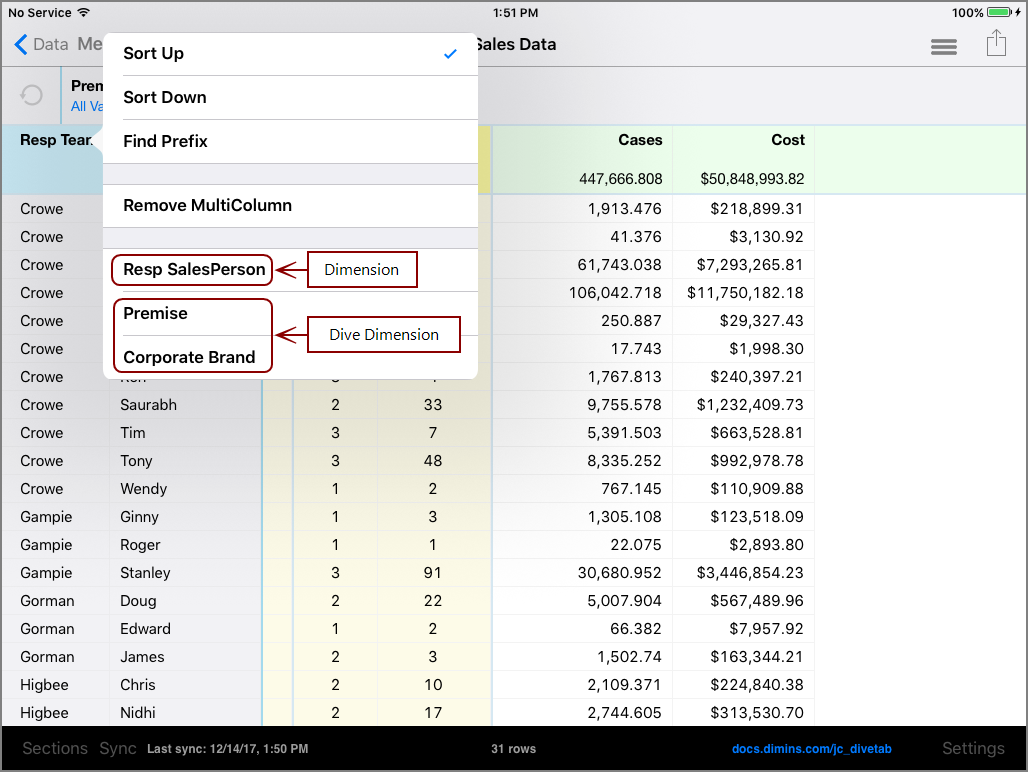
  1. Tap the heading of the dimension you want to switch.

    The Closedcontext menu opens.

    The content menu for a Dimension to swap with another Dimension.

  2. Tap the dimension or Dive Dimension that you want to switch with. For this example, dimension Resp Team is switched with Dive Dimension Corporate Brand.

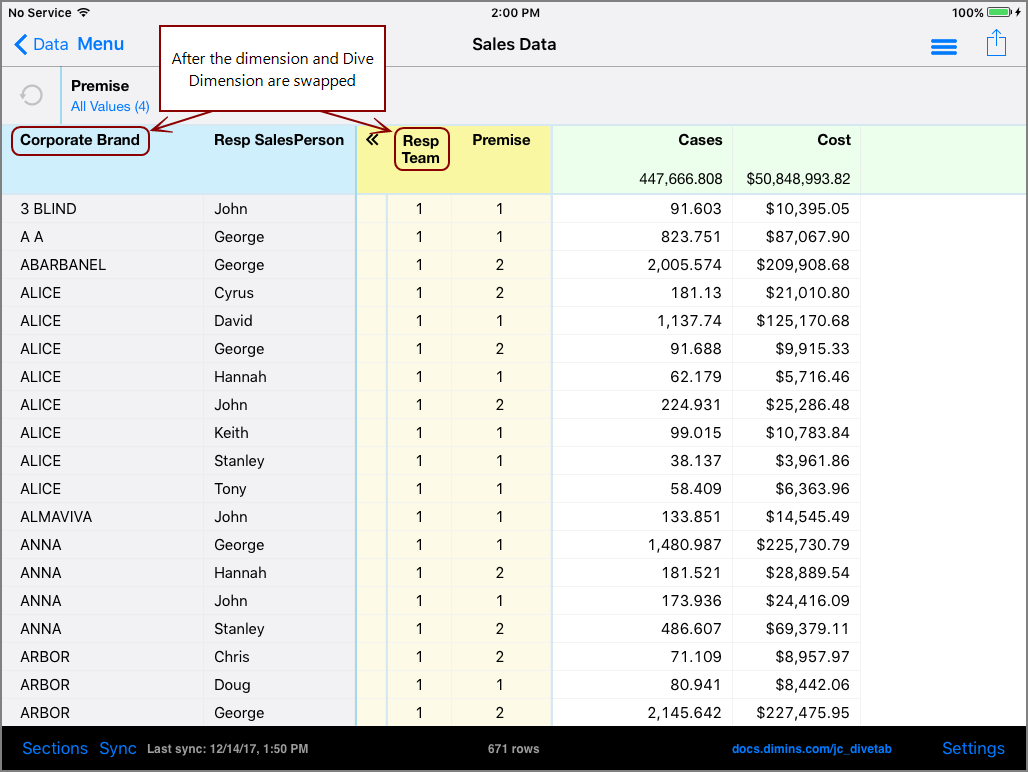
    This is the Closedresulting configuration after the switch.

    After the Dimension and Dive Dimension are swapped.

    Notice how Resp Team is now a Dive Dimension, and Corporate Brand is now a Dimension.
See also: