The DiveTab client gives the option to dive on specific data values. This means viewing the related dimension information for a single data value. There are four ways to dive:
- On a Summary column value—This involves selecting a linked column cell. This is configured by the developer.
- On a Dive Dimension value—This involves selecting a dimension value from a column with a yellow heading.
- On a Dimension value—This involves selecting the dive icon in the same cell.
- On a Chart—This involves selecting a linked chart value. This is configured by the developer.
The style of diving for a particular tabular page is determined by the developer.
 Diving on column cells
NOTE: Diving on column cells is configured by the developer.
-
Choose a column value to dive on.
For example, the Summary Column
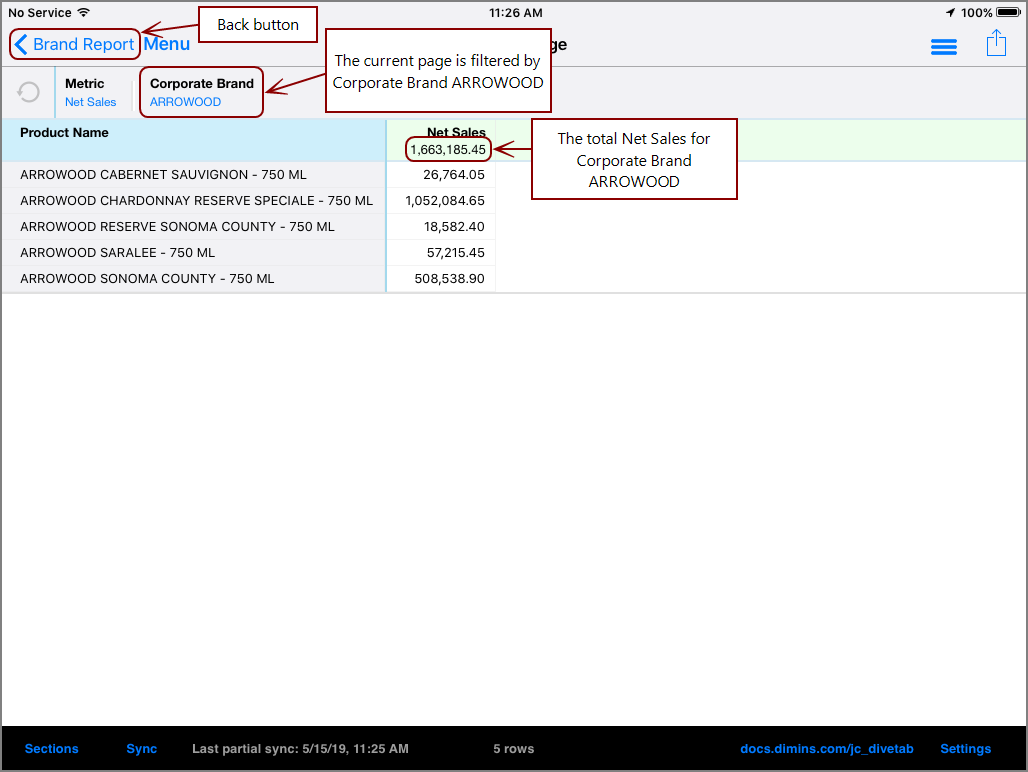
Net Sales value corresponding to ARROWOOD. This means that the Corporate Brand ARROWOOD has 1,663,185.45 in Net Sales.For example, the Summary Column
MTD New value corresponding to Carey. This means that Sales Representative Carey has 1,002 new accounts as of this month to date.TIP: If a column is linked, the column is shaded blue.
-
A
new page opens.The resulting page is filtered by Corporate Brand ARROWOOD, and the Products add up to the total of 1,663,185.45 in Net Sales.
The resulting page is filtered by Sales Rep Carey.
-

 Diving on Dive Dimension values
-
Choose a Dive Dimension value to dive on.
For example, Dive Dimension
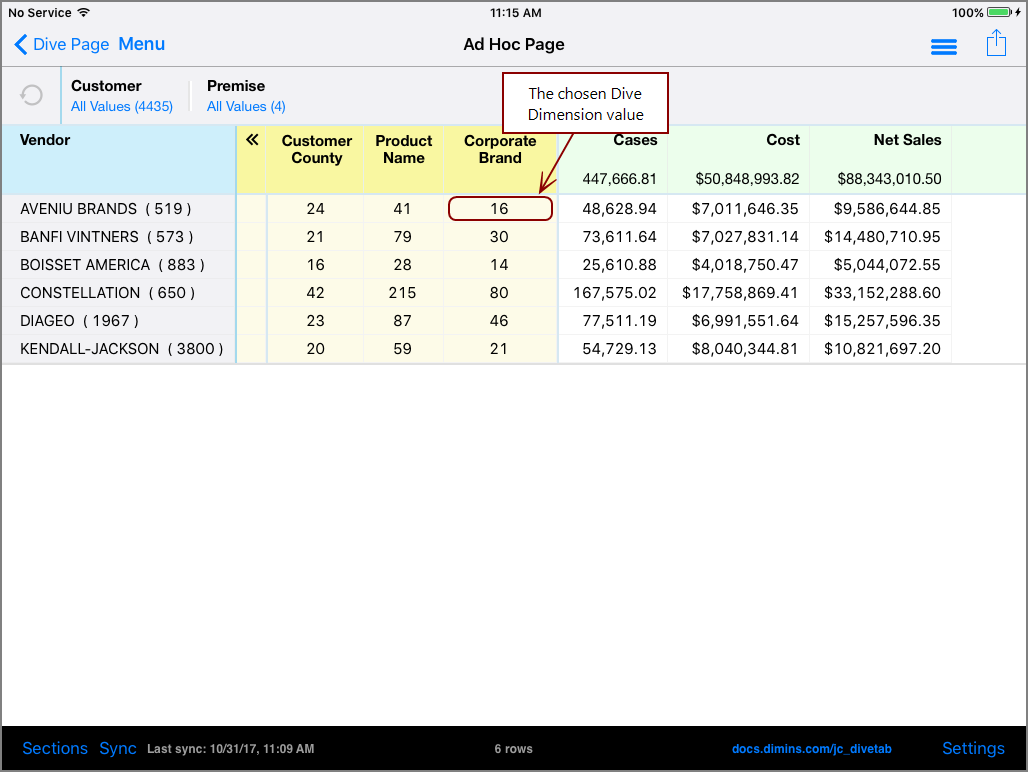
Corporate Brand value 16. This means that the corresponding dimension value, AVENIU BRANDS, has 16 related values under Corporate Brand. This number is called a DimCount. -
A
new page opens.The new page focuses on Vendor AVENIU BRANDS, and the 16 Corporate Brand values that belong to it. Notice the blue bar, or the breadcrumbs, along the top of the table. This indicates that the page is filtered by Vendor dimension value AVENIU BRANDS.
-
 Diving on Dimension values
- Choose a dimension value to dive on. This value must have a dive arrow,
 , indicating diving is possible.
 -
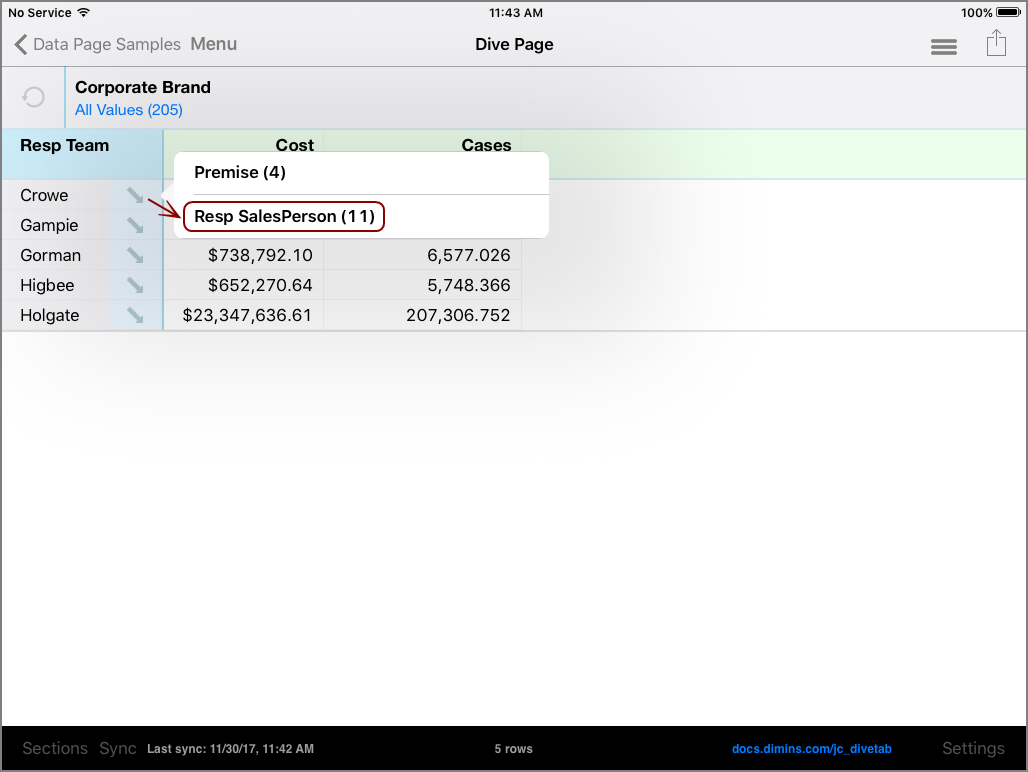
For example,
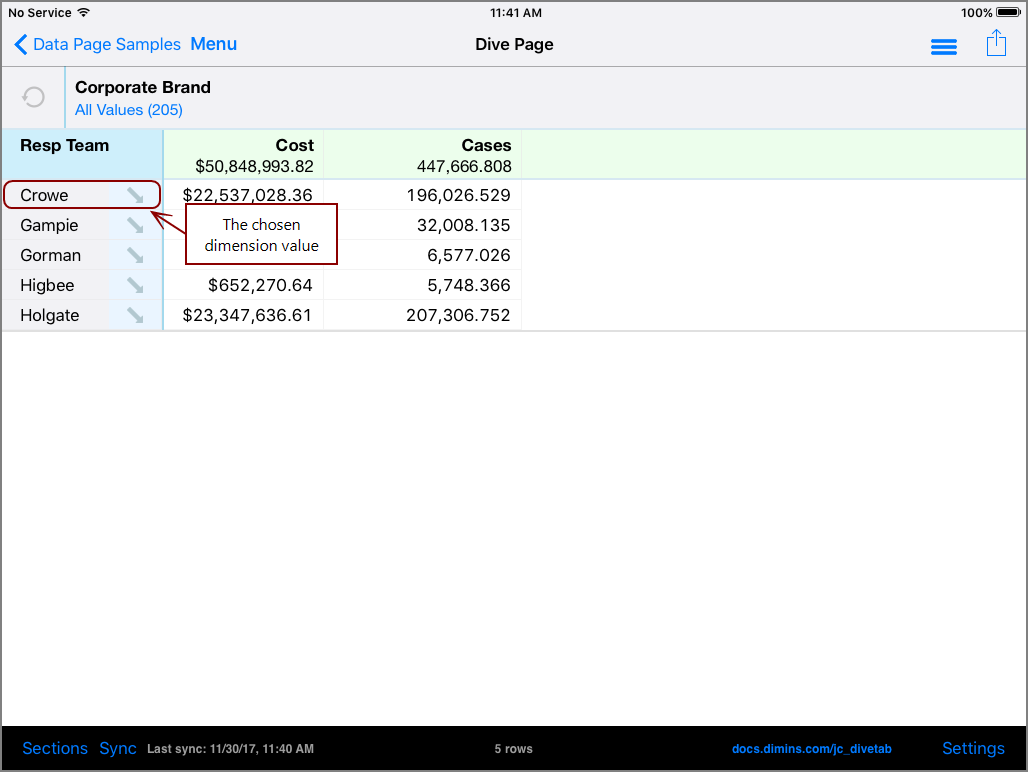
Resp Team value Crowe -
The
context menu opens.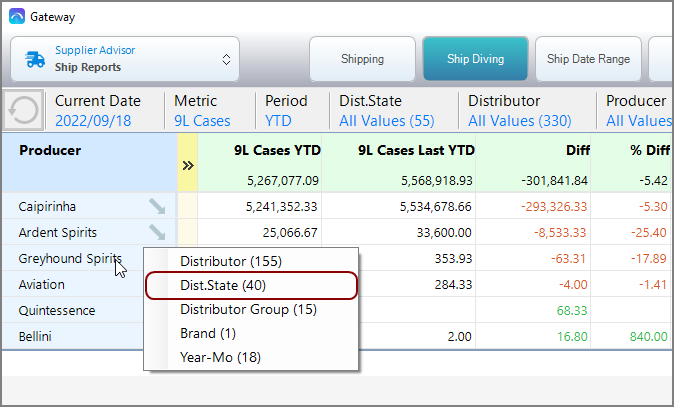
-
Choose a dimension to dive on.
Resp SalesPerson.Dist. State. The number next to the dimension name indicates the number of values the dimension contains. -
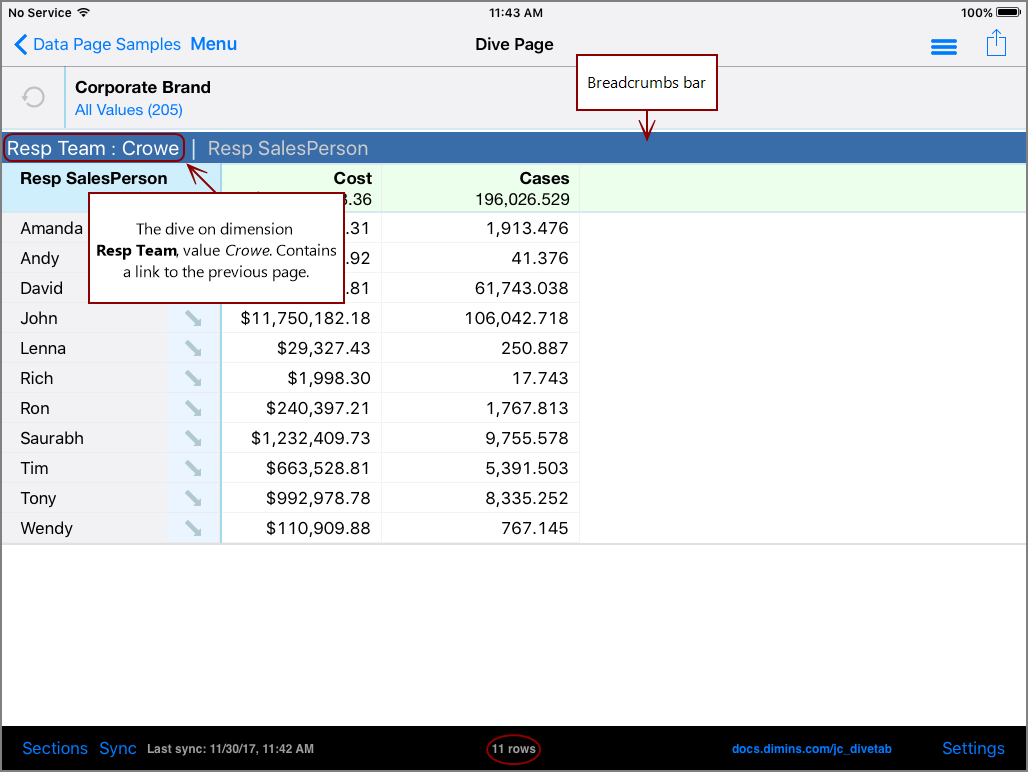
A
new page opens.The new page focuses on Resp Team Crowe, and the related values from dimension Resp SalesPerson.
To return to the previous page,
 Diving on a Chart
NOTE: Diving on charts is configured by the developer.
-
Choose a chart value to dive on.
For example, pie chart Corporate Supplier dimension value
value DIAGEO. This value indicates that 17.3% of Corporate Supplier Net Sales belong to DIAGEO. TIP: Hover over the chart to view the chart value.

-
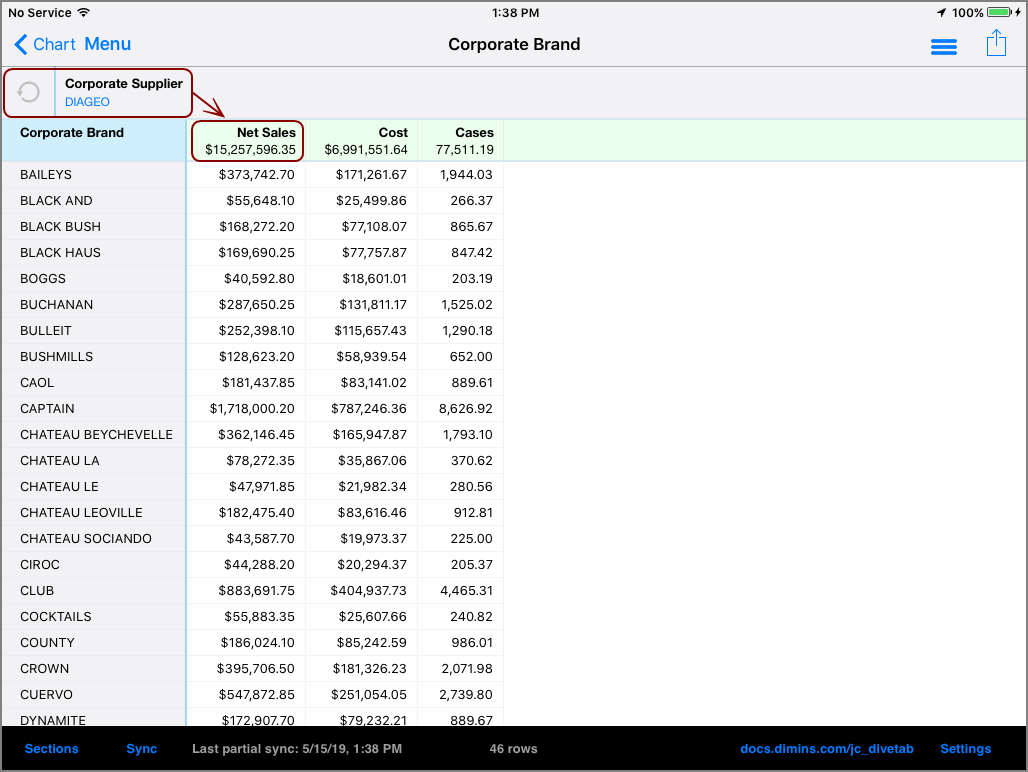
A
new page opens.The resulting page is filtered by Corporate Supplier DIAGEO, and the Corporate Brands add up to the total of $15,257,596.35 in Net Sales.
-
See also Dive Dimensions.