Logging On
To log on to DivePort, on the toolbar, click Log On, and then enter your credentials.
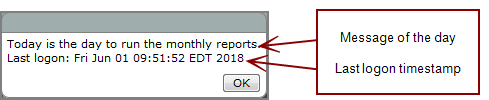
Depending on the server configuration, DivePort might display greeting text before an interactive log on, or a pop-up message-of-the-day after the interactive log on. The message might also include information about the last time your user account was used, and the number of failed logon attempts. This can alert you of a security breach if it shows that the last successful logon date and time is different than when you last logged on.